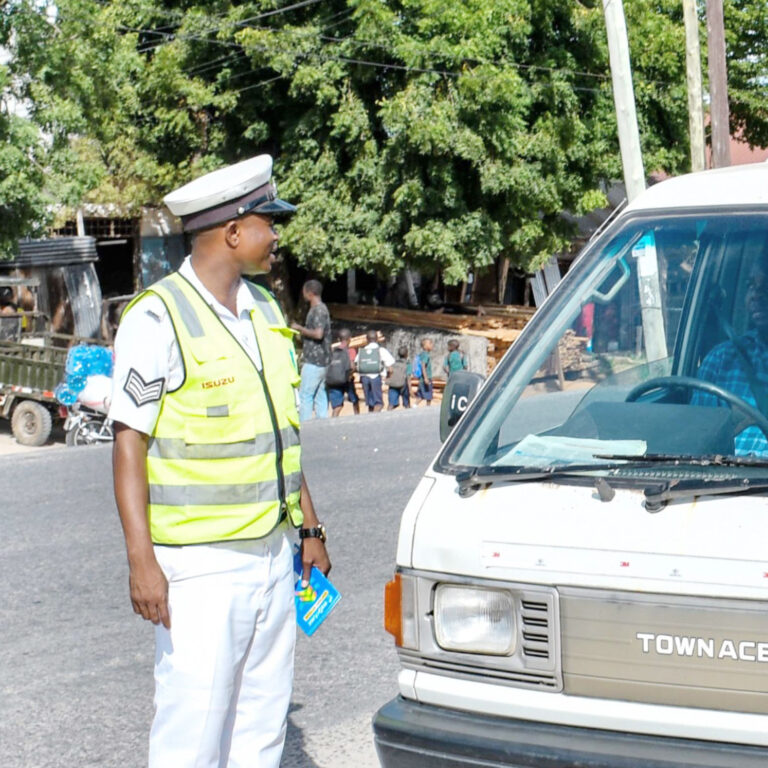
TMS Traffic Check Tanzania | How to Look Up Fines, Control Numbers, and Payment
TMS, the Traffic Management System, is the national database that records road traffic offences and ties each ticket to a payment control number. Officers issue a notice at the roadside, the offence is logged, and you settle it through the Government Electronic Payments Gateway, known as GePG.
TMS lets you see what is outstanding by plate or by driver’s licence so you avoid guesswork and late surprises.
We rely on these tools daily. The recipe is simple. Search your plate or licence, note any open items, pay using the control number, and keep the receipt. If the system shows nothing, you are clean.
If it shows a bill you do not recognize, you resolve it politely through the official dispute route. Short checks before long trips keep your day trouble-free.
What you can see in TMS
You can look up outstanding fines tied to a vehicle registration number or to a driver’s licence. The result usually lists the offence type, place or station, date, amount, and the control number for payment. For fresh tickets, allow a short sync window before the record appears. Once payment clears through GePG, the item should change to settled.
Step by step, how to do a TMS traffic check
Choose your search key
Decide whether to search by plate or by driver’s licence. For vehicles, plates are fastest. For individuals, a licence search confirms your personal status across vehicles.
Enter the details carefully
Use the exact plate format in uppercase and make sure you do not mix O with 0. For licence numbers, copy them from the card without spaces unless the form requests them.
Read the result
If an offence appears, write down the control number and amount. If nothing appears, you are clear at that moment. Take a quick screenshot for your records.
Pay through GePG
Use the control number to pay via mobile money, a bank app, or at a bank counter that supports government payments. Match the amount exactly. Keep the receipt or SMS.
Recheck status
After payment, refresh the record later and save a second screenshot that shows settled status. Store both images in a folder named by plate and month. Kila kitu sawa.
How to pay a traffic fine the right way
All traffic fines route through GePG with a unique control number. Enter that number in your payment channel, confirm the amount, and approve. Do not hand cash to anyone at the window. Your clean receipt is your protection at future checkpoints. When coverage is weak, try a different channel later or pay at a bank. If a payment fails, confirm the control number and try again with the same channel or an alternative.
If you disagree with a ticket
Stay calm at the roadside, accept the notice, and move on. Later, prepare your evidence and visit the named station for guidance on review or court. Do not argue in traffic. Keep timelines in mind, since some notices carry payment or appearance windows. If the station adjusts or cancels an item, confirm that TMS reflects the outcome so you are not flagged again.
Common problems and easy fixes
Wrong plate format: Retype the registration in uppercase and remove stray spaces. If the vehicle changed plates, try the licence search for a fuller picture.
Record not found right after issue: Wait a short while. Uploads can lag. If the delay continues, visit the station named on your paper notice.
Control number rejected: Check each digit and confirm the amount. If the bill has expired or was changed at the station, request an updated number.
Paid, but still shows open :Keep your receipt. Recheck later. If it remains open, visit the station with your proof so they reconcile the entry.
Timing tips for real trips
Check the night before a long leg, a park gate day, or a border crossing. Settle anything open and save receipts. Carry soft copies on your phone and a small printout in the glovebox. For fleets, run a quick batch check weekly and store screenshots by plate. This habit turns roadblocks into polite greetings instead of delays.
Etiquette at checkpoints
Lower the window, greet with habari or shikamoo, and keep hands visible. Provide licence, insurance, and registration when asked. If an officer asks about a fine, show the settled screenshot and the GePG receipt. Polite, organized drivers move on faster. Seat belts for all. Children in proper seats. Simple, human conduct keeps the day calm.
For visitors and renters
Visitors who drive themselves should carry a valid licence, an International Driving Permit if available, and the rental agreement. If you receive a notice, the control number process is the same. Inform your rental provider so records stay aligned. If you prefer not to handle payment directly, agree on a clear plan and keep personal copies of receipts.
For companies and NGOs
Assign one person to run weekly TMS checks, pay through a corporate wallet or bank channel, and file receipts by unit. Train drivers on greetings, paperwork order, and the no cash rule. Keep insurance and inspection documents current and easy to reach. Fleet calm starts with tidy files and predictable routines.
Privacy and safety
Only enter your own plates and licences, or those you manage with permission. Store screenshots in a secure folder. When you share proof with a third party, mask personal data that is not needed. Good digital hygiene prevents small issues from becoming big stories